Free resume template
Free resume template and PDF builder
Build a clean, printable resume online without fighting with margins, spacing, or page breaks. MyPDFResume keeps the layout consistent while you focus on the experience, education, and skills employers need to see.
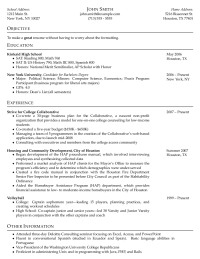
How to use the free resume template
- Add your contact information. Start with your name, email, phone number, and location so employers can reach you quickly.
- Fill in the core resume sections. Add education, work experience, and skills in a structure that stays easy to scan.
- Customize the content for each job. Keep the same resume template, but emphasize the accomplishments and keywords that match the role.
- Download the PDF. Download your resume as a PDF so the layout stays consistent when you upload it or email it to an employer.
What to include in your resume
A good resume template should give you structure without making the document feel generic. Use the sections below to make your qualifications easy to understand.
- Your name and professional contact information
- A clear education section with degrees and dates
- Recent work experience with specific accomplishments
- Relevant skills, tools, certifications, or activities
- Optional sections for projects, awards, or publications
Start with the right sections
Not every resume needs the same order. New graduates often lead with education, while experienced candidates usually put work experience first.
Read the resume sections guide for a quick breakdown of what belongs in each section.
Resume template mistakes to avoid
- Choosing a design that is hard to read or too crowded.
- Letting the resume get too long for your experience level.
- Listing responsibilities without specific accomplishments.
- Using inconsistent dates, spacing, or section headings.
- Skipping a final proofread before downloading the PDF.
For more examples, review our resume writing tips before sending your application.
Resume template FAQ
Is the resume template free?
Yes. You can use MyPDFResume to create a resume and download it as a PDF without paying for a template file.
Can I make more than one resume?
Yes. You can keep multiple resume copies, tailor each one to a different job, and keep older versions for reference.
Can I create a matching cover letter?
Yes. Use the free cover letter builder to build a matching PDF cover letter for your application.